Manage Undelivered Shipments
Shipments that could not be delivered to the recipient can be viewed directly in your Printegy account, where you can decide what should happen next – without any extra effort.
What happens to an undelivered shipment?
If a shipment is returned to us for any reason, such as an incorrect address, missing recipient, or refusal to accept the delivery, a notification will appear in your dashboard marked “Action Required.”
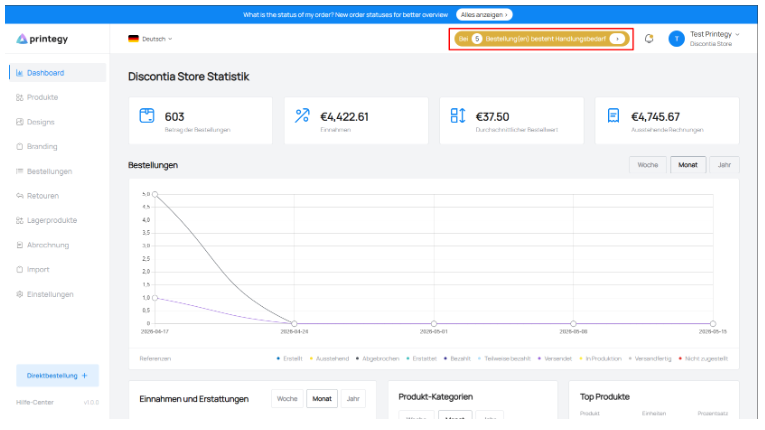
This way, you will no longer miss any returned shipments and can make a decision promptly.
How it works
Step 1: Open the notification
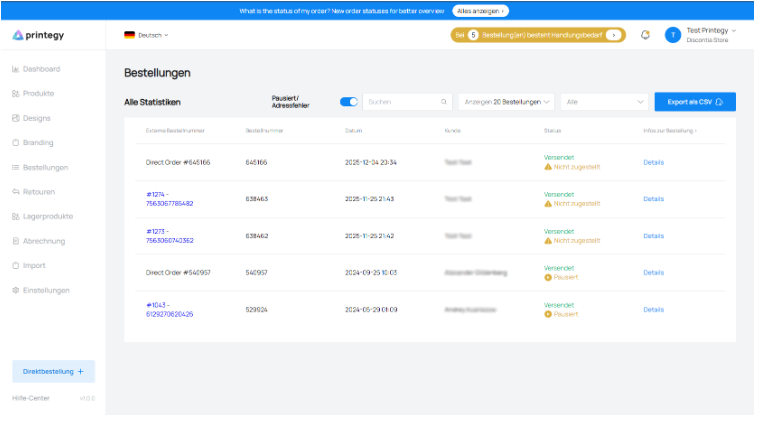
By clicking the “Action Required” button, you will be taken to an overview of all packages that could not be delivered.
Step 2: Review the list of orders requiring action
A new section displays all packages that could not be delivered.
Step 3: Choose one of three actions
For each undelivered package, three options are available.
Available actions
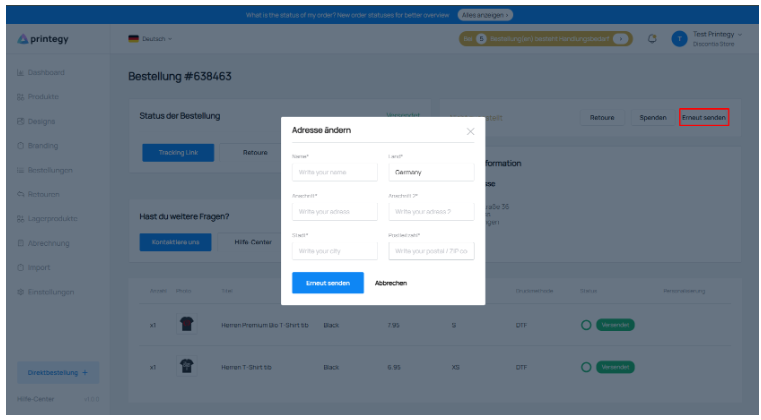
1. Resend
If the return was caused by an incorrect address, you can correct the information and have the package resent. For the reshipment, we will charge you the same shipping costs that you paid for the original shipment. Please carefully check the recipient address before confirming the reshipment.
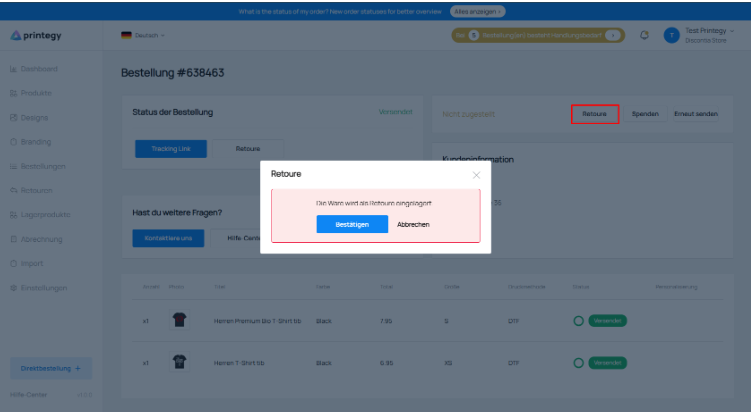
2. Register as a return
If you do not want to resend the package, you can quickly register it as a return without any further steps. Please note our pricing policy for return management.
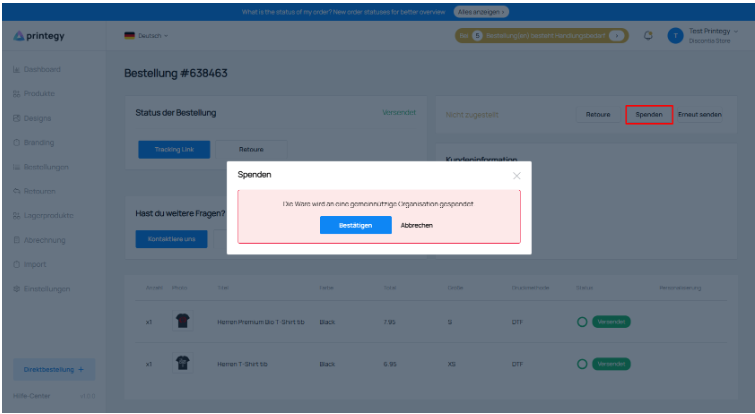
3. Donate
Alternatively, you can donate your package to a charity. With this option, you make a social contribution and reduce unnecessary additional returns.
Your benefits
With this new feature, you get:
Full transparency over all undelivered shipments;
Fast response thanks to clear notifications;
Flexible options: resend, return, or donate;
An environmentally friendly and socially responsible approach through the donation option.